
Fake FBI Lock Screen
An independent entertainment simulation that collects no real data, key, credential, or payment.
This system has been seized under the Global Internet Security Act (GISA) for violating federal cybercrime regulations.
Your device has been placed on an emergency lockdown to prevent further unauthorized activities. The following violations have been detected:
- Possession of restricted digital content, including illegally obtained media.
- Suspicious online activity involving discussions related to flagged topics.
- Potential involvement in cyber offenses violating digital safety protocols.
Your IP address has been logged, and your location is under surveillance. Law enforcement response is in progress.
Your Legal Rights
Under federal law, you are entitled to the following:
- The right to remain silent.
- The right to legal representation.
- The obligation to comply with law enforcement directives.
IMMEDIATE ACTIONS REQUIRED
Remain calm and follow these instructions precisely to avoid escalation.
- Do not turn off your device.
- Do not attempt to leave the area.
- Gather all storage devices for inspection.
WAIT… IS THIS REAL?
This screen is a prank. Press Escape to restore normal browser mode.
Related tools
Practical uses for Fake FBI Lock Screen
- Show a fictional locked-screen scene in a production.
- Teach viewers to distrust urgent browser notices.
- Use a clearly disclosed entertainment simulator.
A careful three-step workflow
- 1
Confirm the strong safety disclosure.
- 2
Choose the clearly fictional notice style.
- 3
Start deliberately and press Escape to leave fullscreen.
Interpret the result in context
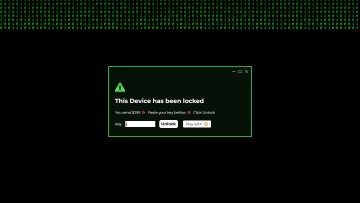
- The artwork contains fictional authority-style labels, allegations, a timer, and a deliberately rejecting demo key field; it never reads device data or accepts credentials or payment.
- ScreenOrbit is not affiliated with the FBI or any government agency.
- State for Fake FBI Lock Screen is processed locally and resets from the normal page view.
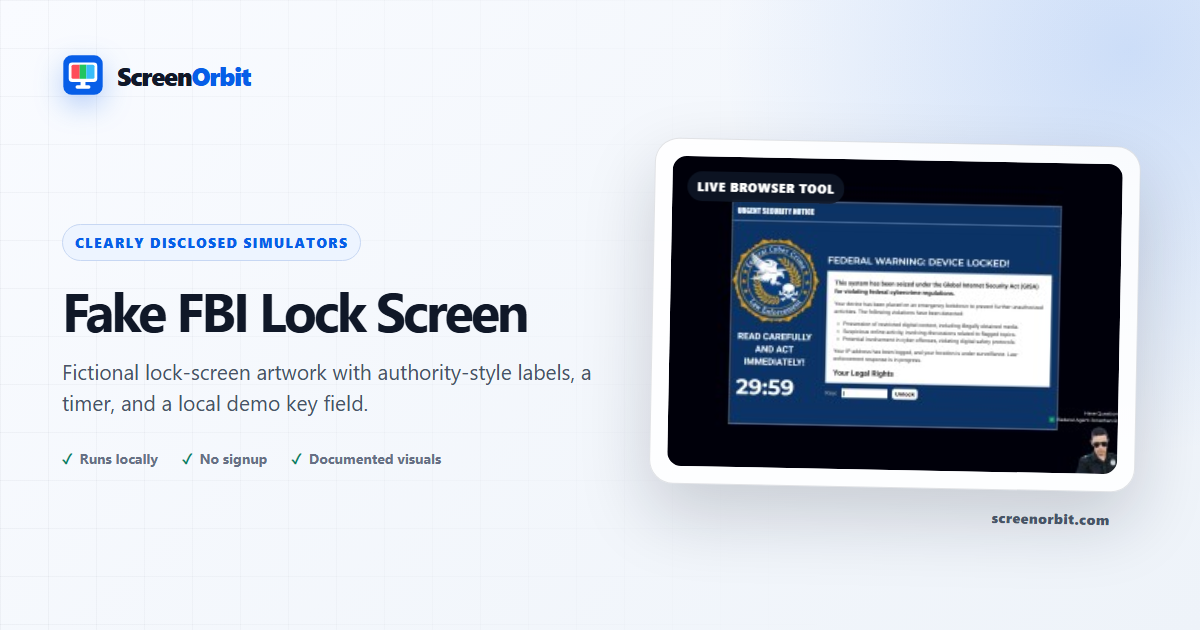
A generic fictional lock-screen scene, not a government notice
This simulator is entertainment, not a government notice: any authority-style seal, allegation, location claim, timer, or key field is part of an inert fictional picture and never reflects real device data or submits information. The normal page identifies the route as fiction before fullscreen.
Safety features before and during use
The simulation is clearly disclosed before activation. Fullscreen starts only after explicit confirmation, Escape works normally, and no keyboard or browser control is intercepted. Any timer is theatrical and leads only to a harmless reset state. Nothing is locked, scanned, reported, or transmitted.
When not to use it
Do not show this screen to obtain money, credentials, personal information, compliance, or access to a device. Do not use it with someone who could reasonably believe they face a real law-enforcement action. It is unsuitable for airports, border crossings, workplaces, classrooms, public displays, or any setting where a false official notice could create fear or disruption.
For a clearly technical but non-authority scene use Computer Virus Prank or Hacker Typer. The guide Recognizing Fake Updates and Prank Screens explains the persistent signs that distinguish a website from an operating-system message.
Plan a useful session with Fake FBI Lock Screen
Fake FBI Lock Screen works best when you start with one question. Decide what you need to view, compare, create, record, or demonstrate. Keep the first run at the default state. Change one control after you understand the starting result. This approach gives you a clear baseline and a useful reason for every adjustment.
An independent entertainment simulation that collects no real data, key, credential, or payment. Use the normal page view to prepare the settings. Enter fullscreen only after you review the exit control. Write down the mode and key values when you need to repeat the result on another device.
Choose controls by outcome
The available modes include training demo, fictional notice. The control set includes fullscreen, animation, keyboard, safe exit, reset. Start with the option closest to your task. Avoid changing every value at once. A single change gives you a direct before-and-after comparison and makes a saved result easier to explain.
- Show a fictional locked-screen scene in a production. Set a clear finish point before you begin.
- Teach viewers to distrust urgent browser notices. Set a clear finish point before you begin.
- Use a clearly disclosed entertainment simulator. Set a clear finish point before you begin.
Run a repeatable workflow
- Stage 1. Confirm the strong safety disclosure. Record the starting environment and state.
- Stage 2. Choose the clearly fictional notice style. Keep the first comparison short and controlled.
- Stage 3. Start deliberately and press Escape to leave fullscreen. Reset the page when the session ends.
For a device comparison, use the same browser family, viewport, room light, physical brightness, and viewing distance where practical. Run the same order on both devices. Change one environmental factor only after the matched pass is complete. Keep this route focused on this use: Show a fictional locked-screen scene in a production.
Keep a useful record
A useful record names the page, mode, control values, browser, device, viewport, date, and viewing condition. For a visual observation, describe the location and the fields where the effect appears. For a generated asset, record dimensions, format, color values, and the downloaded file name. For a simulation, record the duration, custom text, disclosure, and exit method. The starting reference for this page is training demo.
- The artwork contains fictional authority-style labels, allegations, a timer, and a deliberately rejecting demo key field; it never reads device data or accepts credentials or payment.
- ScreenOrbit is not affiliated with the FBI or any government agency.
Avoid common setup errors
- For this use, do not treat a browser view as a hardware measurement or system action: Show a fictional locked-screen scene in a production.
- Do not change several settings before you record the baseline. Begin with training demo.
- Do not rely on a phone photograph as the only evidence. Keep this route limit in view: The artwork contains fictional authority-style labels, allegations, a timer, and a deliberately rejecting demo key field; it never reads device data or accepts credentials or payment.
- Do not leave route features active after the task ends. The main controls include fullscreen, animation, keyboard, safe exit.
- Do not add private data, credentials, payment details, or confidential text. Keep the second listed use in scope: Teach viewers to distrust urgent browser notices.
Continue with the closest comparison
Open a related route when the first page reveals a new question. Keep the same environment and repeat only the part needed for comparison. The closest listed routes are Computer Virus Prank, Loading Screen Prank, Fake Windows 10 Blue Screen. Keep this final use in mind: Use a clearly disclosed entertainment simulator.
- Computer Virus Prank. A fictional system-alert animation that performs no scan, lock, download, or system action.
- Loading Screen Prank. A high-fidelity buffering player with a live title, timeline, duration, loading point, and fullscreen view.
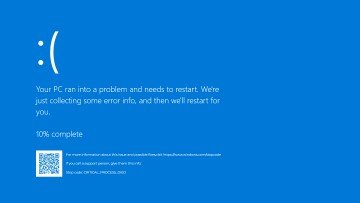
- Fake Windows 10 Blue Screen. A modern blue crash-screen scene with live progress and responsive typography.
Recommended guides
Questions about Fake FBI Lock Screen
What does Fake FBI Lock Screen do?
An independent entertainment simulation that collects no real data, key, credential, or payment. Show a fictional locked-screen scene in a production. Teach viewers to distrust urgent browser notices.
Who gets the most value from this page?
Use this page when your task matches the listed purpose. Show a fictional locked-screen scene in a production. Teach viewers to distrust urgent browser notices. Start with a clear goal and stop once the page answers that goal.
Which Fake FBI Lock Screen setting should you choose first?
Start with training demo, fictional notice. Keep the default state for the first pass. Change one control, review the result, then record the setting before another change.
What should you prepare before fullscreen?
Get permission from the device owner. Rehearse Escape and keep the session short. Choose a setting where a false screen will not interrupt work or safety. Confirm the strong safety disclosure. Choose the clearly fictional notice style.
Does this page change hardware or system settings?
The scene runs inside one browser tab. The page does not read files, lock the device, inspect accounts, request payment, or perform a system action. The training demo mode and Reset affect local page state only.
How should you judge the result?
Treat the page as disclosed entertainment or a planned production prop. End the scene as soon as the viewer shows concern. The artwork contains fictional authority-style labels, allegations, a timer, and a deliberately rejecting demo key field; it never reads device data or accepts credentials or payment. ScreenOrbit is not affiliated with the FBI or any government agency.
Does the page upload files or settings?
No tool state is uploaded by ScreenOrbit. Supported local files stay in the current browser tab. Generated files are assembled in browser memory and download to your device. The starting mode is training demo. The first use is: Show a fictional locked-screen scene in a production.
Which phones, tablets, and computers support the tool?
Current desktop and mobile browsers support the core page. Fullscreen, Wake Lock, downloads, audio, and local file access depend on browser and operating system support. The visible control set starts with fullscreen. The first use is: Show a fictional locked-screen scene in a production.
What mistakes reduce the value of the page?
Avoid public, workplace, school, medical, retail, and support contexts without written authorization. Never add private data or a payment request. Keep the goal, settings, environment, and exit plan clear. The first listed use is: Show a fictional locked-screen scene in a production.
Which ScreenOrbit tool should you open after Fake FBI Lock Screen?
Continue with Computer Virus Prank, Loading Screen Prank, Fake Windows 10 Blue Screen. The related links preserve the same task area while giving you another field, pattern, or workflow for comparison.