
Safe Prank Screens
Clearly disclosed browser simulations with responsive visuals, deliberate activation, and an exit that stays available.
No tools match that search. Try a shorter term or choose All.
Entertainment that stays under the user’s control
Every prank page identifies itself as an independent simulation before activation. Fullscreen requires a deliberate click and Escape keeps its normal browser behavior. The immersive surface contains only the scene itself. The pages do not request camera, microphone, location, notifications, clipboard-read access, credentials, or payment information.
Use these tools only with the device owner’s permission and never in a context where a false crash, security warning, or lock message could cause distress or interfere with work. The safest use is a planned demonstration, recording, classroom explanation, or harmless joke where the participant can immediately regain control.
High-quality live effects instead of static screenshot playback
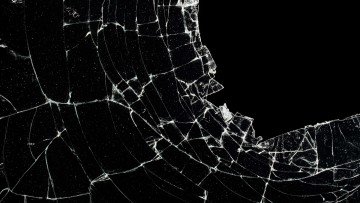
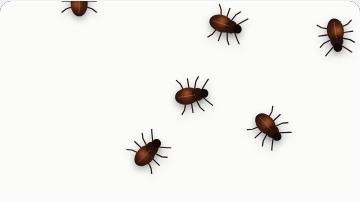
Broken Screen transforms detailed cracked-glass artwork at runtime. Bug on Screen animates a transparent insect sprite, while Hair on Screen transforms a fine transparent strand. These effects can be randomized locally and remain dynamic.
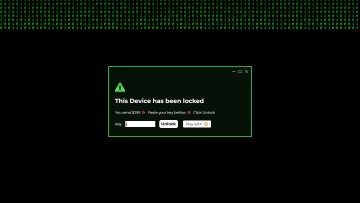
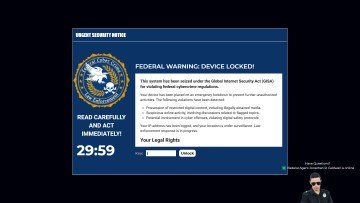
Hacker Typer uses original sample code and a local keystroke illusion. Loading Screen combines a cinematic scene with a live title, buffer indicator, and timed progress rail. The Computer Virus Prank and fictional lock screen collect no device data, key, credential, or payment.
Crash simulations are not diagnostic tools
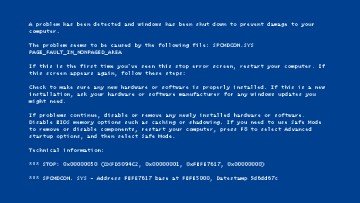
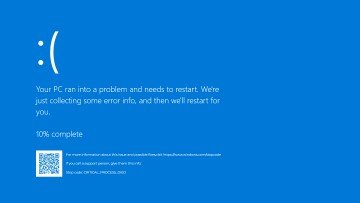
The classic and modern blue-screen pages use high-fidelity reference proportions with live browser-rendered text, fictional stop names, invented values, and dynamic progress. They cannot crash, restart, inspect, repair, or lock an operating system. Microsoft and Windows names appear only to describe the style users are searching for; ScreenOrbit is not affiliated with Microsoft.
If a screen appears unexpectedly and asks for money, credentials, remote access, or a phone call, do not treat it as one of these harmless pages. Exit fullscreen, close the tab, and use trusted device security guidance. Our guide to recognizing fake updates and prank screens explains practical checks.
A consent-first checklist
- Choose a participant and setting where a brief visual joke cannot interrupt safety, work, study, travel, or a real support task.
- Keep the activation disclosure visible and make sure the normal browser exit works on the device.
- Do not enter real names, addresses, account details, IP information, allegations, or payment instructions into custom text.
- Reveal the simulation immediately when the person appears concerned. Do not prolong uncertainty for a reaction.
- Reset the tool and confirm that fullscreen, audio, Wake Lock, and local custom state have ended.
Why high fidelity still needs visible boundaries
A production-quality simulator can use convincing hierarchy, spacing, motion, and typography without copying protected artwork or becoming deceptive. ScreenOrbit keeps the disclosure on the setup page before activation, while fullscreen contains only the simulation. Escape is never intercepted or disabled.
Schools, workplaces, creators, and security educators should obtain authorization and describe the exercise in advance. A real training program needs a defined objective, support contact, and aftercare; an entertainment page alone is not security awareness training.
Use this page for one clear task
Choose a disclosed browser simulation for a planned recording, lesson, or consent-based joke. Creators, educators, security trainers, and friends with clear permission use this collection. Write down the result you need before you follow a link or change a setting. A narrow goal saves time and keeps the final decision tied to evidence.
Read the full page once before acting when the task involves a display test, cleaning step, simulation, file right, privacy request, or support report. Then return to the exact section needed for the work. Keep the stated limits visible while you decide the next step. This route focuses on: Choose a disclosed browser simulation for a planned recording, lesson, or consent-based joke.
Prepare a stable starting point
Get permission, rehearse Escape, keep the session short, and avoid active work or real support tasks. Record the starting state before you change a control, move a device, submit a form, or rely on a policy statement. Use current source material and the current page version for any formal review.
Keep one issue per session or message. Separate a visual symptom from a hardware claim. Separate a browser simulation from a system event. Separate a generated file from third-party material placed inside the file. These boundaries make the evidence easier to assess. The main route risk is: Private data, payment requests, public devices, or prolonged uncertainty create avoidable harm.
Follow a practical four-part process
- Define the goal. Choose a disclosed browser simulation for a planned recording, lesson, or consent-based joke. Stop if the task changes into a different problem.
- Capture the baseline. Record the route, chosen controls, session length, disclosure plan, and exit method. Use exact values and names where they exist.
- Check the main risk. Private data, payment requests, public devices, or prolonged uncertainty create avoidable harm. Correct the setup before repeating the step.
- Choose the next action. Read the fake-screen recognition guide before using a crash, lock, virus, or update style. Keep the original record for comparison.
Build evidence another person understands
Record the route, chosen controls, session length, disclosure plan, and exit method. Add the date and the page URL. Remove passwords, addresses, serial numbers, payment data, private messages, and confidential logs before sharing a screenshot or report. A short written sequence often carries more value than one close photograph.
For a comparison, repeat the same order and keep every unrelated variable stable. For a policy or rights question, quote the exact file or clause in your own words and link the source. For a bug, include expected behavior, observed behavior, and the smallest reliable reproduction path. This route asks you to record: Record the route, chosen controls, session length, disclosure plan, and exit method.
Avoid weak evidence and unclear claims
- Private data, payment requests, public devices, or prolonged uncertainty create avoidable harm.
- The scenes do not lock devices, read accounts, inspect files, or perform system actions.
- Avoid several setting changes between the baseline and the result. Preparation for this route: Get permission, rehearse Escape, keep the session short, and avoid active work or real support tasks.
- Avoid a private or model-specific claim without a current primary source. The page limit is: The scenes do not lock devices, read accounts, inspect files, or perform system actions.
- Avoid private data in public screenshots, links, examples, and support messages. The useful evidence is: Record the route, chosen controls, session length, disclosure plan, and exit method.
- Avoid treating a search result, camera image, or forum comment as final proof. The main risk is: Private data, payment requests, public devices, or prolonged uncertainty create avoidable harm.
Move to the next useful action
Read the fake-screen recognition guide before using a crash, lock, virus, or update style. Keep the baseline and the page limit beside the result. Contact the relevant maker, seller, platform, specialist, rights holder, or ScreenOrbit editor when the decision falls outside the page scope.
Questions about Safe Prank Screens
What is the main purpose of Safe Prank Screens?
Choose a disclosed browser simulation for a planned recording, lesson, or consent-based joke. The page keeps the task narrow so you reach a useful next action without mixing unrelated intent.
Who should use Safe Prank Screens?
Creators, educators, security trainers, and friends with clear permission use this collection. Start with the stated task and use the linked route or policy for the next decision.
What should you prepare before following Safe Prank Screens?
Get permission, rehearse Escape, keep the session short, and avoid active work or real support tasks. Keep the starting state stable and write down any change you make during the process.
What information should you record for Safe Prank Screens?
Record the route, chosen controls, session length, disclosure plan, and exit method. Specific details help another person repeat the same check or review the same request.
What common error weakens the Safe Prank Screens result?
Private data, payment requests, public devices, or prolonged uncertainty create avoidable harm. Pause when the context changes and restart from a known state rather than guessing.
What does Safe Prank Screens exclude?
The scenes do not lock devices, read accounts, inspect files, or perform system actions. Use the stated limit when deciding whether you need a maker, specialist, platform, or legal contact.
Does ScreenOrbit store settings from Safe Prank Screens?
Interactive tool settings stay in local browser storage where supported. Supported files stay in the tab. A contact message follows the separate contact and privacy process. Page scope: Choose a disclosed browser simulation for a planned recording, lesson, or consent-based joke.
Does Safe Prank Screens work on phones and computers?
The written steps work across screen sizes. Browser features differ by device. Fullscreen, downloads, Wake Lock, file access, and audio depend on current browser support. Preparation: Get permission, rehearse Escape, keep the session short, and avoid active work or real support tasks.
How often should you repeat the Safe Prank Screens process?
Repeat after a meaningful change such as a new device, display preset, browser, room condition, source, policy revision, or software release. Keep stable conditions for direct comparisons. Record: Record the route, chosen controls, session length, disclosure plan, and exit method.
What should you do after Safe Prank Screens?
Read the fake-screen recognition guide before using a crash, lock, virus, or update style. Follow the closest linked route and keep the original goal, evidence, and limits in view.